Showing posts with label Blogaway. Show all posts

Wednesday, December 3, 2014

Blogaway Update: Moderate your comments

Today, we are releasing Blogaway v6.0.2 and Blogaway Pro v2.0.2 with some added features on comment moderations.


Android app on Google Play


You can now moderate your comments right from your mobile. You can view all your comments, including spam on your posts, and delete them, mark them as spam or approve them.

As of now, we are only showing the latest 20 comments on each post. We would be improving it later to be able to browse through all the comments that you have got.

Also, the comments are shown in a threaded view. And you can also view the profile pictures of your commenters. Hope you enjoy Blogaway even more.

Let us know if you love this feature, or have some feedback and suggestions. We will be happy to listen from you.


Thursday, July 10, 2014

New Compose UI

Blogging on the phone is not the same as on a desktop. Being creative while writing a post is a little tricky while you are on the move. Blogaway now has a new compose UI which tries to address this problem. However, we are still trying to improve and bring out new tools that help you write an awesome post, without worrying about the fact that you are on a mobile.
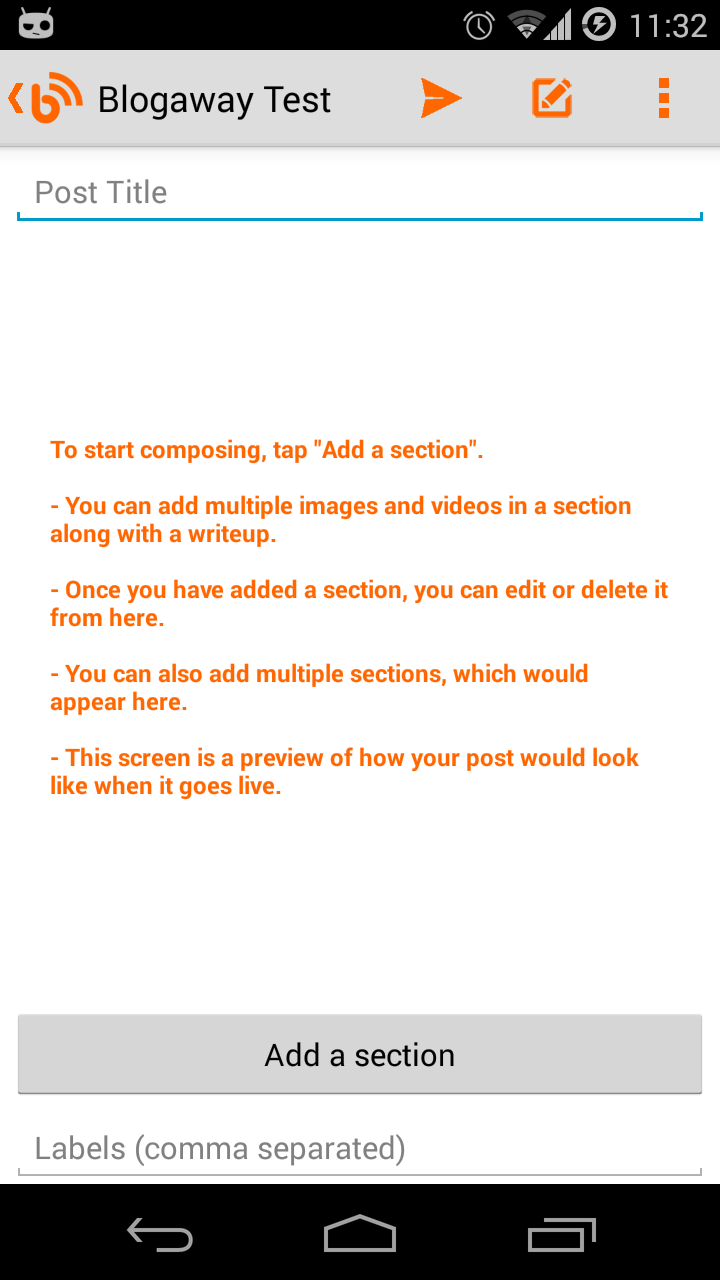
The new Compose UI

The first version of the new UI lets you be a little more creative than you were before. As compared to the previous versions, where your photos and videos could only go on the top of your posts, the new version is more flexible, allowing you to compose your post, with as many photos and videos you want, and most importantly, arrange your media as you like.

The new "Create Post" screen is simple to use. To start composing, tap on the "Add a section" button.

Composing a long post can be difficult on a mobile device, and you can very easily lose track of your content. So, with the new compose UI, we break up the process of composing into smaller tasks, or elements called "Sections"

Each section can have multiple images and videos, along with a write up. Within a section, you cannot arrange media as you like. All the attached media would still appear on the top of the text that you type in. But, the good thing is, you can add any number of sections, and arrange them instead. You can think of a section as a small paragraph of your post.

And when you come back to this screen after composing a section, this screen would be updated, and will show you a rough preview of what your content is going to look like.

And since each section is separate from each other, you can easily edit or delete specific sections.
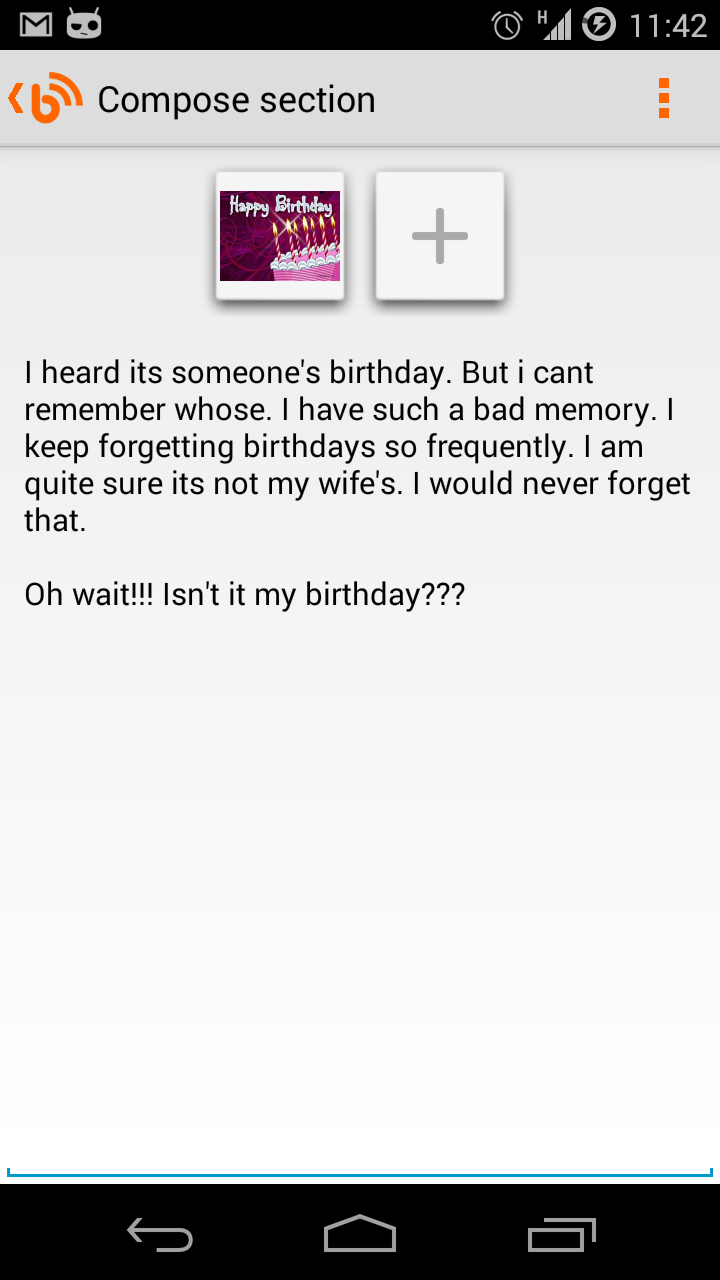
Composing a section

On the compose section screen, you have all the formatting options as before. They will be visible once you are in the compose mode and the keyboard is displayed.

Once you are done with a section, you can go back to have a preview of what the section looks like.


On the preview screen, there are two buttons for editing or deleting a section at the end of each section. You could have sections with only images, or only videos, or just plain old formatted text.
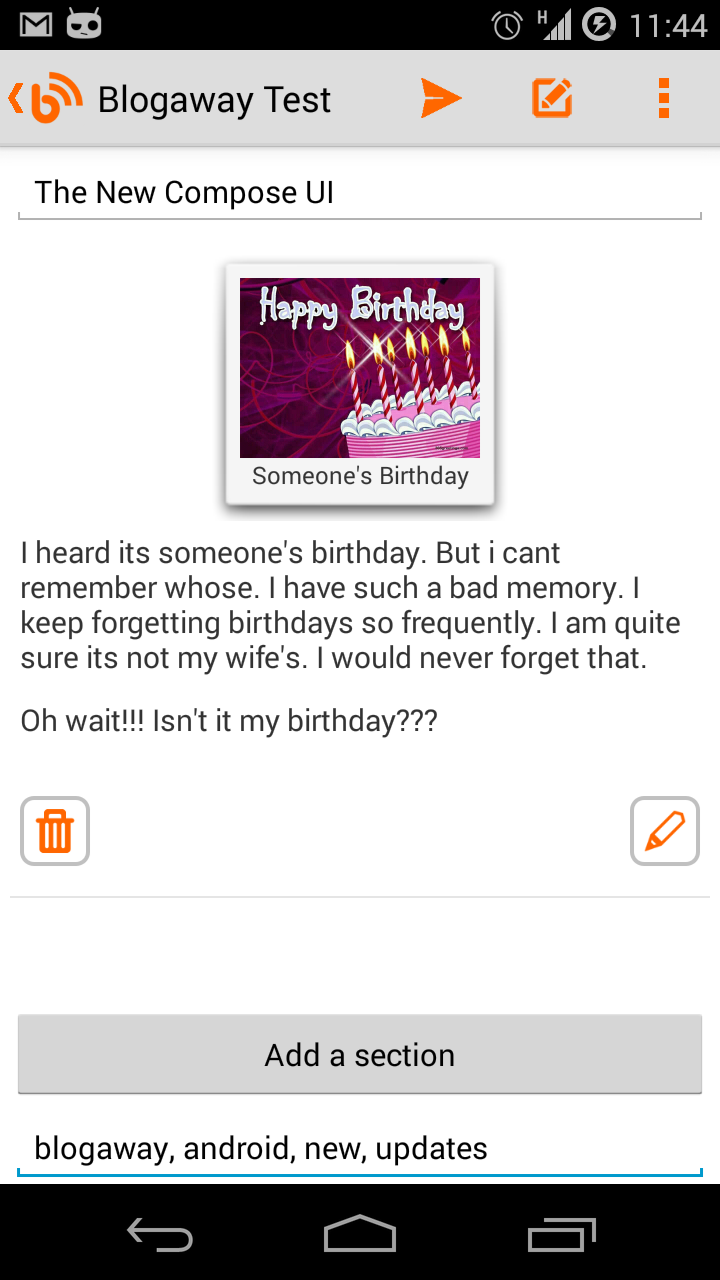


Sections preview
And once you are satisfied with the preview, you can hit the publish button to send away your awesome post.

And if you are not ready just yet, just press the back button, and this post would be auto-saved on your phone's drafts. When you find some more time to work on this post, go the the "Drafts" section, and tap on the one that you want to edit. You will again see this new compose UI, with everything that you were working on.


Note: While editing a post, you would still see the old compose UI. We haven't yet found out a good way to handle editing of posts that are already published (even the draft ones).

Let us know what you think, and do let us know if you have any suggestions for new features, improvements to the existing ones, or any other problems that you might be facing.

Keep blogging.

Saturday, January 25, 2014

New Update to Blogaway and Blogaway Pro

That was a long gap I think. But, we have added quite some new features, which needed extensive testing.

There has been a bunch of bug fixes which were pending for a long time and were very irritating. The most important one was:

You couldn't write a post with accentuated characters in the title or in the labels fields. This was a problem for the non-english characters, where users then had to go and manually change them later on the web. Although, the post content was able to handle these characters properly, it must have been very frustrating for the users to do that each time they hit publish. Now, that's fixed.

And the feature list is quite a handful this time.

Features:
  • Navigate to post from Posts map
  • Show blog stats
  • Accentuated characters were not being displayed in Title and Tags
  • Revert published/scheduled posts to draft
  • Publishing a draft post
  • Scheduling a post
  • Deleting posts
  • Viewing and editing "Drafts" and "Scheduled" posts
And various bug fixes

Blog Stats (Page Views)
Here's a screenshot for the Stats page. Hope you would like it.

There could be a few odd behaviors as always, because of the substantial upgrade of features and code-base, as usual. So, if you find a bug, or if you want any help, do write to us, and we would be more than happy to help you.


Blogaway Pro: The introductory price still is at $1.49 for some more time. Grab your copy till it's that cheap. May be for a week more or two.

And, as always, we aren't resting yet. We are already busy adding new features, and polishing up the existing ones. Don't forget to rate us on the Play Store.


Till the next update, Happy Blogging.

Thursday, August 22, 2013

Adding a caption to your images

Your caption goes here.

When you add images, most of the times you would want to describe a little more about the image itself. That's where adding a caption helps you. This would work for images as well as videos. After you add an image/video, tap on the media in the compose screen.

The dialog which let's you specify the size and the alignment, now has a caption field as well.

This little feature would be a part of the next update.

Do let us know what more features you would like us to roll out.


Posted via Blogaway

Sunday, August 18, 2013

Blogaway 5.1 is now on Google Play Store

Blogaway 5.1 is a substantial update. Please check it out and send in your feedback. But, before upgrading, there's just one word of caution.

This is a completely re-written codebase, and thus, this update will not use the old data that you have with the existing version. You will need to setup your accounts and reading lists again.

Also, all your drafts, if any would not be imported into the new drafts system. If you want to preserve your drafts, please publish them, or save them as online drafts, and then proceed with the update.

Migration old the old data was a lot of work. And I don't really think it's worth. If and only if you have a lot of phone drafts, it's a real problem for the users. But other than the drafts, setting up everything else shouldn't take much time.


We hope you will love the new UI and everything else that will follow. If not, do send in your problems and concerns, and we would try our best to sort it out.

The new Home Screen

Manage multiple images

A new Reader UI

Monday, July 29, 2013

Blogaway 5.0.4 released

Blogaway 5.0.4 is now live on the Google Play Store. There was a minor crash in the settings screen which should now be fixed.

Other changes are mostly related to UI. Font colors, text sizes and dialogs were not consistent everywhere. This update has all those fixed. We wanted to ensure that the current users don't feel unsatisfied with the build with minor UI inconsistencies, and that one-off crash.

The next update for Blogaway would be in quite a few weeks. As we said before, we are working on a completely new set of features and improving the existing ones. We are confident that the next update will be the right step to take this application in the correct direction.

As always, keep sending in your comments and feedback, and we promise to attend/implement those in the upcoming versions.

Posted via Blogaway

Sunday, July 28, 2013

Attaching images to your posts


While creating a new post, you can add an image by tapping the "Add Image" from the menu.

Also, you can share an image right from your gallery, and instantly publish your post.

You can also specify how the image would look on your blog by tapping on the image.

Currently, Blogaway supports only one image per post. But we are working on that.

Posted via Blogaway

Wednesday, July 24, 2013

Blogaway now available on Amazon App Store

Blogaway is now available on Amazon App Store.

You can try out Blogaway on your Kindle. Although it's not yet optimized for larger screens other than phones, a few users had asked for a Kindle version.

There you go. Check it out and leave feedback if you have any.

Blogaway update coming soon

Blogaway would be getting a UI overhaul soon. And we are sure you would love the update. Although it might take a little longer, a few weeks is what you might have to wait.

We have a huge list of features, bugs and improvements on our agenda. But it would be great if we hear feedback and feature requests directly from the users. Do leave your comments if you have any.

We won't keep you waiting for long though.

Posted via Blogaway

Wednesday, March 24, 2010

Blogaway Video

Here is a short video of Blogaway. Enjoy


Blogaway Version 3.7

Tuesday, March 23, 2010

Blogaway Downloads


With the recent update problem that the users of Blogaway faced, I have now decided to put up a download page where you can find the current and previous versions of Blogaway.

Here is the link.  Click Here 

This would also enable users who cannot find it on the Android Market.

Thanks for your support and feedback

Friday, March 19, 2010

Blogaway Downloads

Searching for Blogaway? Couldn't find it? Well, here are more options for you to download and use "Blogaway" rightway.


Blogway is now available on these stores:


1. Google Android Market             Search for "Blogaway"
2. AndAppStore                            Download
3. Slideme.org                              Download

We will be updating the same versions to all these stores as and when new releases are due. So, you don't have to worry and search and dig to find your copy of "Blogaway" if you fail to find it on the Android Market.

Happy Blogging,
Blogaway Team

Thursday, March 4, 2010

Blogaway was on a break

Hey there,

It's been almost a month that we have updated Blogaway. And we haven't been working on it as well. We had taken a break. But, in the background, we have been getting mails, feature requests and appreciation mails from many of our users. It is a pleasure to see that Blogaway is being liked by so many users.

From the mails we receive, we collect your feedback and the new features to add which will improve your blogging experience. We thank you for your suggestions and complaints.

Now that we have compiled a whole lot of new features to add to Blogaway, hopefully we will spring into action very soon and keep updating Blogaway at regular intervals.

Looking forward for your support and feedback.

Thanks,
Blogaway Team

Thursday, January 28, 2010

Blogaway - New Update Available

Today, we have released an update to Blogaway. Here are the list of bugs/features for this update.

Blogaway v3.0(build 28) (Release Date: 28th January 2010)
  1. Editing posts
  2. "Share" photos with Blogaway from your gallery
  3. "Share" videos with Blogaway from your gallery
  4. Fixed Error Messages for Picasa/Youtube activation
  5. Fixed Error Message for "Network Error"
  6. Show Read/Unread status of posts
  7. Incremental post refresh only scans for updates which makes the process faster
Please note: The edit feature is still in it's infancy, and it might be a bit hard to use it. Please be careful while editing posts.

Thanks,
Blogaway Team

Sunday, November 29, 2009

Update - Blogaway

This version is a minor update with mostly bug fixes.

People have been asking for delete functionality in the drafts/accounts/posts.

So, currently, I have enabled the deletetion of drafts and blog-roll.

Monday, November 23, 2009

Blogaway - Now supports adding links

Hi People,
I know it's an important feature. But in the hurry, I forgot to include this in the initial releases. Now you can add links to your posts.

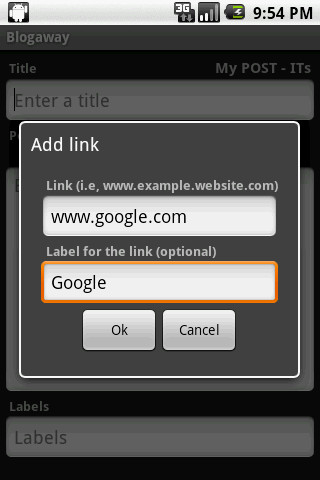
In the create post screen, you will see a new menu item called "Add Link". Clicking on it, you will see a dialog which has 2 text boxes. The first one is for the URL. (Please don't append http://, since blogaway will do it for you). In the label text box, enter a label for the link. This is optional. It no label is provided, the URL itself will be the label.

Apart from this feature, I have also enable auto-cap sentences in the Post Title, Post itself and in the Comments box, in the Create Comment screen.

Sunday, November 22, 2009

Important Update

The last update has a problem with the text box for the Post and the Comment areas. Due to this problem, the text is not getting wrapped into multiple lines. Now the bug has been fixed and the new update is available on the Market.

I request you to please apply the update to remove this issue. Sorry for the inconvenience.

Thursday, November 19, 2009

Blogaway v2.2 now supports Geo-Tagging

Its been quite some time since the last update. Been quite busy. Today, I have updated "Blogaway" to support Geo-Tagging your posts. While you are writing a small post from your phone, if you want to send/post your location information along with the post, you can simply turn-on the Automatic Geo-tagging feature by going to the "Settings" screen.


If this option is selected, every post that you publish will contain your location information, i,e the address from where you had published that post. The address will be a hyperlink. If you click on the hyperlink, you will be taken to Google Maps, and the address will be marked for you.


Clicking on the link will directly take you to that location on the Google Maps. If you need to turn off this feature, just go to settings, and uncheck "Geo-Tagging" and now you will not be sending your location information.

There is another option on the "Settings" screen called "Automatic Updates". This has not been implemented yet. So, it is disabled as of now.

Monday, November 9, 2009

Blogaway v2.2 now supports Image upload

The updated blogaway now supports creating new post with an image. The current version supports only 1 image per post. Here are the steps to follow to attach an image while creating a post.

1. From the "Create Post" screen, click on the "Add Image" option from the menu. You will be taken to the Gallery. After you select an image from your gallery, a thumbnail of the selected image will appear on the screen, just above the posts area.

2. Enter a title for the post, and content if you wish.

3. From the menu, select "Publish" to post.

You can also select the size of the image and the layout (center, left or right) by clicking on the thumbnail of the selected image.


You can upload any type of images. The application might crash if you try to select video files from your gallery. Video upload option is still not supported with this version.

Also, if you have created and post with an image, and saved it to the phone's drafts, re-opening that post later will not contain any information about the image. You have to re-attach the image again and then publish.

Sunday, November 8, 2009

Update - Blogaway 2.1

Hi Everyone,

Recently, many people have been facing this issue with blogaway. Intermittently, the application "force closed".

Now, it has been fixed.

Now, you can save posts as drafts to your phone. Later, you can open them, edit them and publish to your blog.

Now, displayed time is formatted to a more readable format.

Note: Sometimes, when you get a "Error processing Request" message, please try again. This seems to be a bug with the core blogger API.

Now I am working on the "Manage Accounts" page.