Blogging on the phone is not the same as on a desktop. Being creative while writing a post is a little tricky while you are on the move.
Blogaway now has a new compose UI which tries to address this problem. However, we are still trying to improve and bring out new tools that help you write an
awesome post, without worrying about the fact that you are on a mobile.
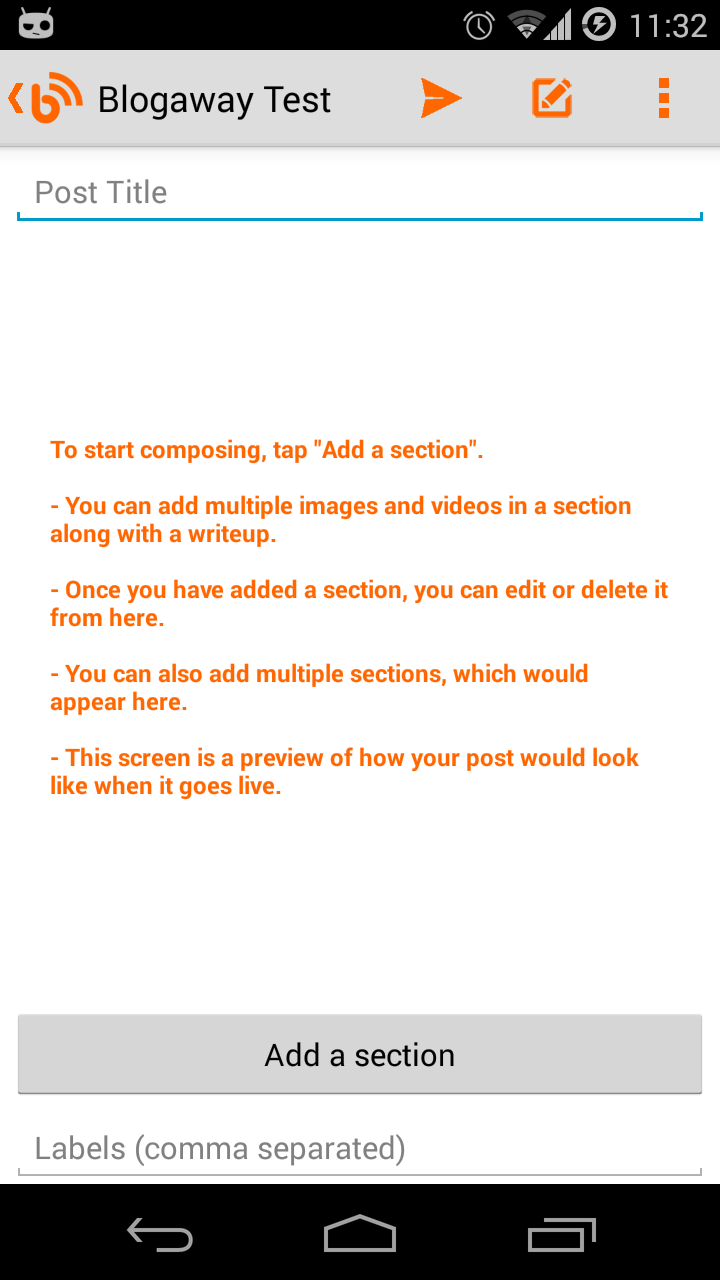 |
| The new Compose UI |
The first version of the new UI lets you be a little more creative than you were before. As compared to the previous versions, where your photos and videos could only go on the top of your posts, the new version is more flexible, allowing you to compose your post, with as many photos and videos you want, and most importantly, arrange your media as you like.
The new
"Create Post" screen is simple to use. To start composing, tap on the
"Add a section" button.
Composing a long post can be difficult on a mobile device, and you can very easily lose track of your content. So, with the new compose UI, we break up the process of composing into smaller tasks, or elements called "
Sections"
Each section can have multiple images and videos, along with a write up. Within a section, you cannot arrange media as you like. All the attached media would still appear on the top of the text that you type in. But, the good thing is, you can add any number of sections, and arrange them instead. You can think of a section as a small paragraph of your post.
And when you come back to this screen after composing a section, this screen would be updated, and will show you a rough preview of what your content is going to look like.
And since each section is separate from each other, you can easily edit or delete specific sections.
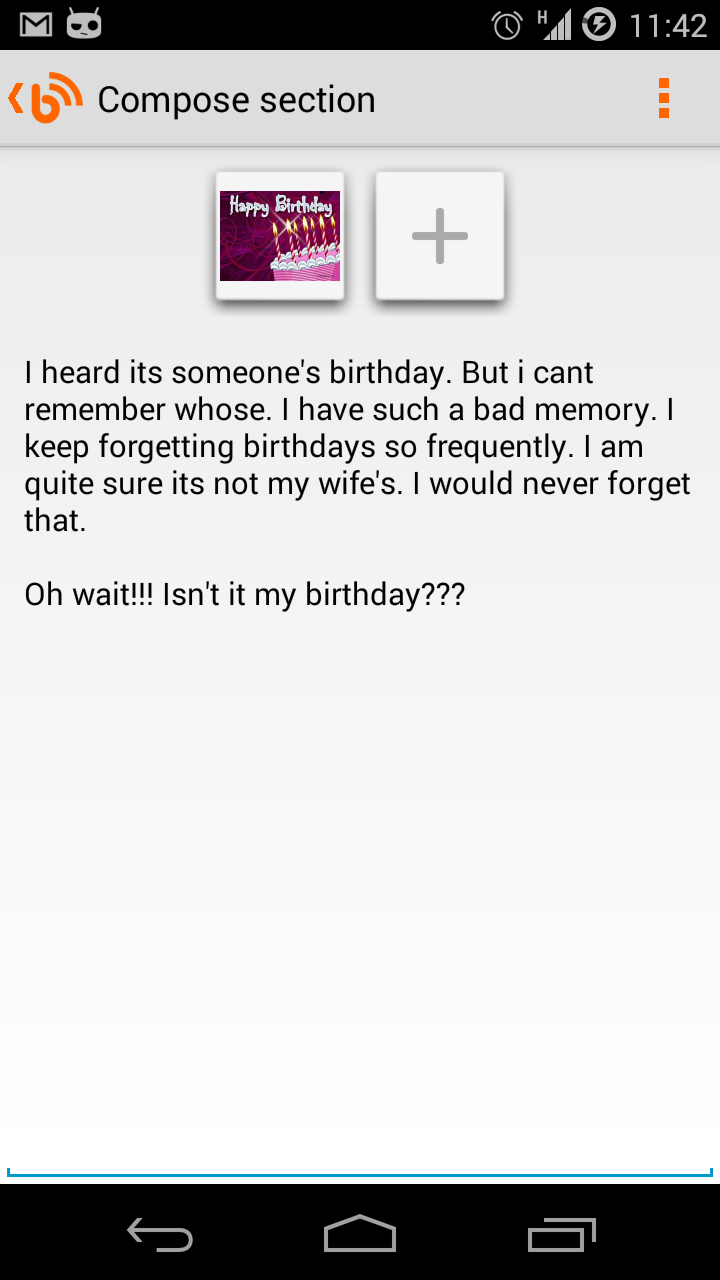 |
| Composing a section |
On the compose section screen, you have all the formatting options as before. They will be visible once you are in the compose mode and the keyboard is displayed.
Once you are done with a section, you can go back to have a preview of what the section looks like.
On the preview screen, there are two buttons for editing or deleting a section at the end of each section. You could have sections with only images, or only videos, or just plain old formatted text.
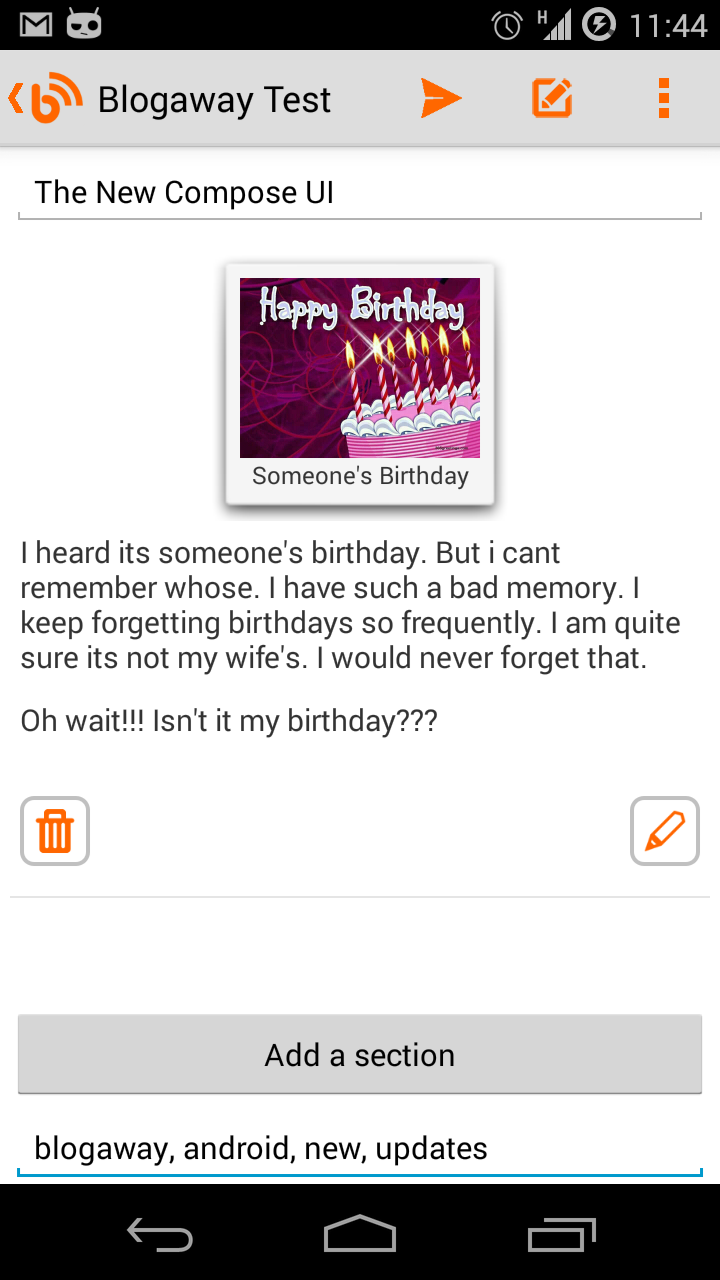 |
| Sections preview |
And once you are satisfied with the preview, you can hit the publish button to send away your awesome post.
And if you are not ready just yet, just press the back button, and this post would be auto-saved on your phone's drafts. When you find some more time to work on this post, go the the "Drafts" section, and tap on the one that you want to edit. You will again see this new compose UI, with everything that you were working on.
Note: While editing a post, you would still see the old compose UI. We haven't yet found out a good way to handle editing of posts that are already published (even the draft ones).
Let us know what you think, and do let us know if you have any suggestions for new features, improvements to the existing ones, or any other problems that you might be facing.
Keep blogging.


